Deep Rock Galactic Rogue Core System Requirements: Can Your PC Run It
Official PC system requirements for Deep Rock Galactic: Rogue Core — minimum and recommended specs from Steam, what they mean in practice, and settings tweaks if your rig is borderline.
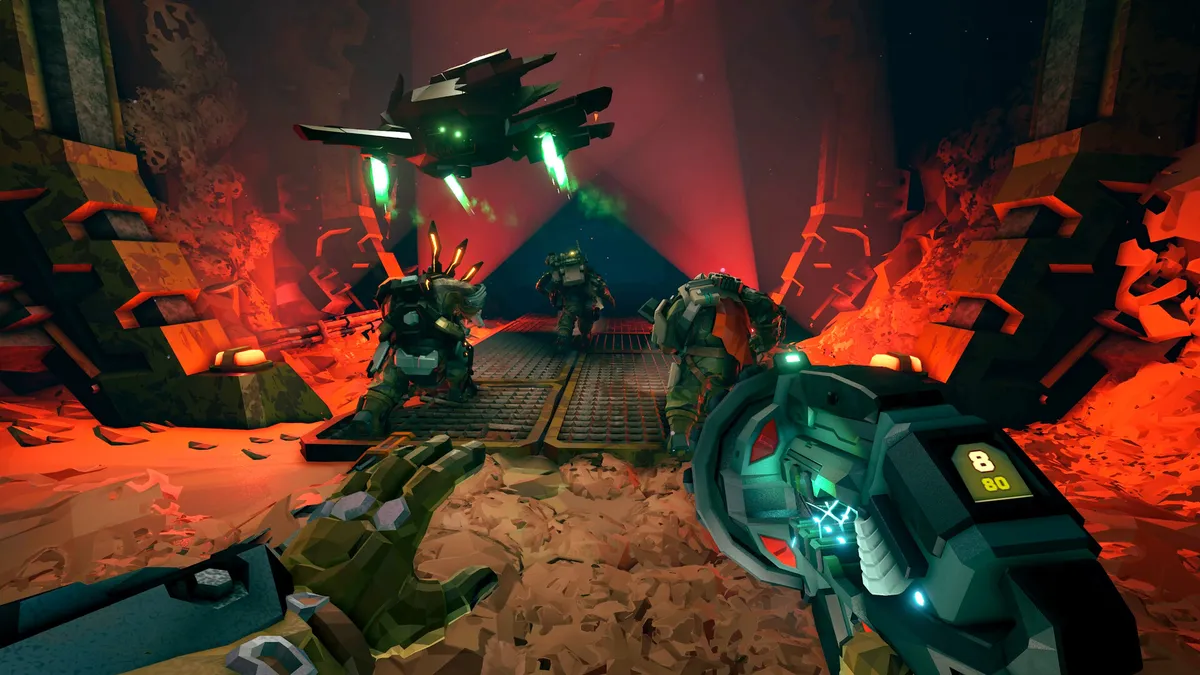
Combat Summary
Can your PC run Deep Rock Galactic: Rogue Core? The official Steam requirements are modest: a 64-bit Windows 10 machine with an Intel Core i5 (7th gen) or AMD Ryzen 5 1500X, 8 GB of RAM, and a GTX 970 or Radeon 290 will meet the minimum bar; the recommended spec bumps the GPU to a GTX 1050 Ti or RX 560 with DirectX 12. You need 6 GB of storage and a broadband connection for co-op. In practice, players report the game is well-optimized for its scale — if you ran the original Deep Rock Galactic acceptably, Rogue Core should feel similar or lighter. Below: the full official spec tables, what each requirement actually means, and what to tweak if your hardware sits near the minimum line.
Official Minimum Requirements
Official — from the Steam store page (app 2605790):
| Component | Minimum |
|---|---|
| OS | Windows 10 64-bit |
| Processor | Intel Core i5, 7th gen / AMD Ryzen 5 1500X |
| Memory | 8 GB RAM |
| Graphics | NVIDIA GeForce GTX 970 / AMD Radeon 290 |
| DirectX | Version 11 |
| Network | Broadband internet connection |
| Storage | 6 GB available space |
Official Recommended Requirements
Official — from the Steam store page:
| Component | Recommended |
|---|---|
| OS | Windows 10 64-bit |
| Processor | Intel Core i5-7400 / AMD Ryzen 5 2600 or higher |
| Memory | 8 GB RAM |
| Graphics | NVIDIA GTX 1050 Ti / AMD Radeon RX 560 |
| DirectX | Version 12 |
| Network | Broadband internet connection |
| Storage | 6 GB available space |
What the Specs Mean in Practice
The CPU bar is low. A 7th-gen i5 (2017-era) as minimum tells you the game is not CPU-bound in the way massive simulation games are. Rogue Core’s caves are procedurally generated but smaller in scope than DRG’s fully destructible mega-caverns, and the enemy counts — while intense during swarms — are managed through the Threat Level system. Community testing shows mid-range CPUs from the last several years handle it without drama.
The GPU minimum is honest. A GTX 970 / R9 290 is a genuinely old card (2014–2015), which signals real optimization effort. The recommended GTX 1050 Ti / RX 560 is itself a budget card by modern standards. Players report that at the recommended spec, 1080p with a mix of medium-high settings holds a stable framerate in typical missions.
8 GB RAM across the board. Both minimum and recommended list 8 GB — the game does not scale its memory appetite with settings the way some open-world titles do. If you have 16 GB, you are comfortably clear.
6 GB storage is tiny. For a 2026 co-op shooter, 6 GB is remarkably small — players report the actual install lands close to this figure. An SSD helps load times between runs but is not required.
DirectX 11 vs 12. Minimum asks for DX11, recommended for DX12. If your GPU supports DX12, use it — players report slightly better frame pacing on the newer API.
Borderline Hardware: Settings That Actually Help
If your rig sits near the minimum spec, community testing points to these adjustments, roughly in order of impact:
- Shadow quality first. Shadows are the single biggest GPU cost in cave environments with dynamic lighting. Dropping from high to medium is the best frames-per-setting trade in the game.
- Volumetric fog / lighting effects second. Rogue Core’s atmosphere relies on these, but they are expensive. Medium is the sweet spot on older cards.
- Resolution scale before resolution. If you are on a 1440p monitor with a minimum-spec GPU, try 85–90% resolution scale before dropping to 1080p — it looks better than a full resolution drop for a smaller clarity cost.
- Particle density during swarms. Swarm events spike particle counts. If your framerate only dies during hordes, this is the setting to lower.
- Cap your framerate. An uncapped framerate on a borderline GPU causes stutter as it swings. Capping at 60 (or 30 if truly struggling) gives a steadier experience than bouncing between 45 and 70.
Laptop and Steam Deck Notes
Community-tested: Players report Rogue Core runs on gaming laptops with GTX 1650-class GPUs at 1080p medium settings without major issues — the game’s modest requirements translate well to mobile hardware.
Steam Deck status is community-reported rather than officially verified: the game launches and is playable, but as an Early Access title without an official Deck verification badge, expect to tweak settings and check community controller layouts. Valve’s verification for Early Access games often lags; check the Steam forums for current Deck reports before buying specifically for handheld play.
Co-op Network Requirements
Official: Broadband internet connection. Rogue Core is 1–4 player co-op, and missions are session-based — a stable connection matters more than a fast one. Community testing shows:
- Host with the most stable connection, not necessarily the fastest rig.
- If a mission ends abruptly (crash, disconnect, kick), you keep XP and bonuses earned up to that point — official disconnect insurance (Update 1.2) — so a dropped connection stings less than in many co-op games.
- The server list supports Threat Level filtering (official, hotfix RC:EA:02.01.00), so you can find lobbies at your difficulty.
How This Compares to Deep Rock Galactic
DRG’s minimum spec is even lower (Windows 7 era, GTX 460-class GPU), reflecting its 2018 origins and longer optimization runway. Rogue Core asks a bit more — roughly one GPU generation — which is expected for a newer title. The practical takeaway from community testing: if your PC ran DRG well, it will run Rogue Core well. The engine lineage shows. If DRG struggled on your machine, Rogue Core’s minimum spec is the honest gate — check yourself against the table above.
New to the spin-off entirely? Our DRG vs Rogue Core differences guide covers what changes beyond the hardware.
How This Works in Rogue Core
System requirements for Early Access games deserve a caveat: specs can shift as development continues. Ghost Ship Games has a strong track record of optimization work during Early Access (DRG’s performance improved markedly from its EA launch to 1.0), so if anything, the requirements above are more likely to loosen than tighten. That said, always check the Steam page’s current listing before buying — store pages update, articles like this one are snapshots. If you are buying specifically for a borderline machine, the most reliable signal is recent community performance reports, not the spec table alone.
FAQ
What are the minimum PC specs for Deep Rock Galactic: Rogue Core? Official minimum: Windows 10 64-bit, Intel Core i5 7th gen or AMD Ryzen 5 1500X, 8 GB RAM, GTX 970 or Radeon 290, DirectX 11, 6 GB storage, broadband internet (official, Steam store page).
What GPU do I need for Rogue Core at 1080p 60fps? The recommended spec (GTX 1050 Ti / RX 560) targets smooth 1080p play. Community testing shows these cards hold stable framerates at medium-high settings in typical missions, with dips mainly during large swarm events.
How big is the Rogue Core download? 6 GB of available space is the official requirement, and players report the actual install is close to that figure — unusually small for a modern co-op shooter (official spec, community-verified install size).
Can I run Rogue Core on a laptop? Yes, if it meets the spec table. Community testing shows GTX 1650-class laptop GPUs handle 1080p medium comfortably. Integrated graphics below the minimum spec will struggle — this is not a game for ultrabooks without discrete GPUs.
Does Rogue Core support Steam Deck? There is no official Steam Deck verification badge as of this writing. Community reports say it launches and plays, but expect to adjust settings manually. Check current community reports before buying for Deck specifically (community-tested, not official).
Continue Reading
Don't deploy without all the intel. Check out this related file:
Rogue Core Best Settings for Performance and FPS →