Deep Rock Galactic Xbox Chat Not Working: Fix Messages
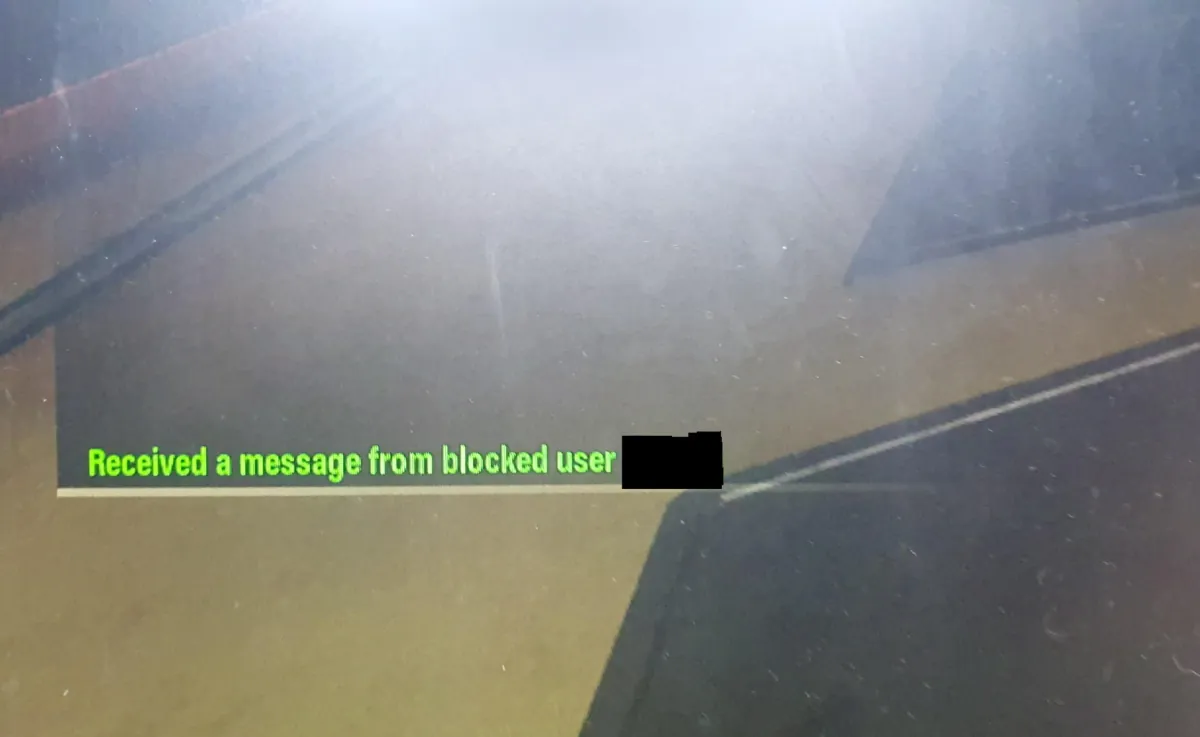
If your Deep Rock Galactic chat isn't working on Xbox, check your console's communication settings and Xbox Live enforcement history. This issue often stems from external account limits.
Combat Summary
- The Symptom: In
Deep Rock Galactic, you’re seeing generic ‘system messages’ instead of actual player chat, despite no in-game blocks. This is primarily a reported issue for Miners on Xbox. - The Root Cause: This isn’t a bug with DRG’s in-game settings. It almost always stems from external Xbox Issues related to your console’s privacy settings or broader Xbox Live account communication restrictions.
- The Fix: Start with Console Troubleshooting: dive deep into your Xbox communication settings and review your Xbox Live enforcement history. Ensure no restrictions are impacting your ability to send or receive messages.
The Problem Explained
Some Miners are reporting that their game client on Xbox displays a system message where teammate chat should be. This isn’t just about a single blocked user; it affects all messages from anyone in your lobby, even those you haven’t blocked. It’s a frustrating communication breakdown, making tactical coordination difficult on Hoxxes IV.
First Steps: Console Troubleshooting
Before you blame Management for another shoddy comms setup, look at your own gear. Most often, Chat Problems like these originate outside of the game itself. On your Xbox, navigate through your privacy and online safety settings. Check specific permissions related to communicating with other players, sending messages, and seeing user-generated content. Sometimes, a setting might have been inadvertently changed or set too restrictively.
Xbox Live Enforcement & Account Restrictions
This is where it gets tactical, Miners. If your Deep Rock Galactic chat isn’t working, especially if you’ve been active in other online games, you might be operating under an Xbox Live communication restriction or temporary ban. These aren’t always explicitly communicated in a way that flags it as a DRG problem. Check your Xbox Live enforcement history. A previous report or infraction in any online game can result in a network-wide communication handicap, preventing you from seeing or sending messages across various titles, including DRG. This isn’t a DRG ban; it’s an Xbox-level one, and it’s a common cause for these system messages.
When To Contact Support
If you’ve exhaustively checked your Xbox settings, confirmed no active enforcement actions, and are still experiencing Chat Problems within Deep Rock Galactic, then it’s time to escalate. Gather your findings and contact Technical Support for either Deep Rock Galactic (via their official channels) or Xbox Support. Provide them with as much detail as possible: when it started, what steps you’ve taken, and if it coincides with any specific game updates or console changes.
Continue Reading
Don't deploy without all the intel. Check out this related file:
Rogue Core Console Launch Status Explained →