Deep Rock Galactic Engineer Icon Explained
The Engineer class icon represents the dwarven specialist in area denial and Turret deployment. Understanding this symbol helps identify your team's tactical support role.
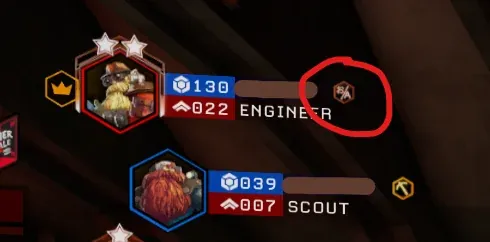
Combat Summary
- The icon depicting a stylized wrench and a cog is the official symbol for the Engineer class, signifying the team’s primary builder and area denial specialist.
- Recognizing this UI element helps you identify a teammate capable of deploying Turrets, creating essential platforms, and utilizing devastating crowd-control weapons.
- Understanding the Engineer icon’s meaning is vital for effective Teamwork and strategic mission planning on Hoxxes IV.
Engineer Icon Meaning
The Engineer icon is a visual shorthand for the class focused on defensive fortifications and segmenting battlegrounds. While sometimes mistaken for a simple UI element, it represents much more. The wrench signifies their building and repair capabilities, essential for deploying Turrets and laying down Platform Gun support. The cog represents their mechanical prowess and ability to manipulate the environment. This icon, a core part of any Class Guide and fundamental to DRG Basics, frequently appears near health bars, on equipment, and in menus.
Tactical Significance
Seeing the Engineer icon on a teammate means you have dedicated fire support and structural integrity. An Engineer is adept at “dividing” the horde, either by funneling Glyphids with platforms, blocking pathways with Turret fire, or carving out safe zones for resupply or defense objectives. Effective Teamwork relies heavily on the Engineer’s ability to control space. Knowing what this UI element represents allows you to anticipate their actions and position yourself to take advantage of their setup.
Identifying Engineer Tools
Beyond the class icon, similar UI symbols might appear for specific Engineer tools or Overclocks. For instance, Turret icons often feature crosshairs or small turret silhouettes. Platform Gun symbols might show a stylized platform. When you see a symbol that looks like it’s segmenting or “dividing” space, especially near an Engineer’s deployed gear, it’s likely indicating an area-of-effect or strategic placement by your fellow Dwarf. Understanding these context-specific icons further enhances your tactical awareness, building on core DRG Basics knowledge.
Miner’s Chatter
Miners often discuss how quickly new recruits learn to interpret UI symbols. The Engineer icon, in particular, comes up in conversations about understanding team roles and the visual language of Deep Rock Galactic. Many veteran Engineers emphasize that the icon isn’t just cosmetic; it’s a constant reminder of their pivotal role in creating safe havens and maintaining battlefield control. The general consensus is that new Miners should pay close attention to all class and tool icons for better Teamwork.
Continue Reading
Don't deploy without all the intel. Check out this related file:
Rogue Core: Assessing Readiness for the Next Deployment →