How to Invite Friends in Deep Rock Galactic: Rogue Core
Learn how to team up with your friends for co-op missions in Deep Rock Galactic: Rogue Core. Discover the multiplayer options and get ready to mine with your squad.
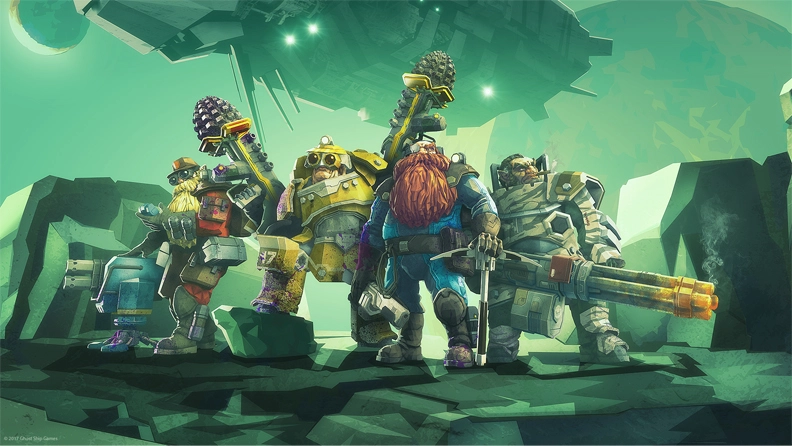
Deep Rock Galactic: Rogue Core plunges players into the perilous depths of procedurally generated caves, challenging them to reclaim mining facilities infested with deadly Corespawn. As an elite dwarven Reclaimer, you’ll face intense action and strategic decision-making. While the solo experience offers its own unique challenges, many players naturally wonder how to bring their friends along for these high-stakes expeditions.
This guide will explore the confirmed co-op features of Deep Rock Galactic: Rogue Core and provide insights into how you can expect to invite your squad to join the fight. For Rock and Stone, together!
Deep Rock Galactic: Rogue Core - A Confirmed Co-op Experience
From the outset, Deep Rock Galactic: Rogue Core has been designed with cooperative play at its core. Official information confirms that the game supports 1-4 player co-op, categorizing it as both “Multi-player” and “Online Co-op” on its Steam store page. This means that while you can certainly brave the alien horrors alone, the game is built to be a shared experience, allowing you and up to three friends to descend into the planet’s core as a cohesive unit.
The emphasis on co-op aligns perfectly with the Deep Rock Galactic universe, where teamwork, class synergy, and communication are often the keys to survival. Rogue Core extends this philosophy into a roguelite format, meaning that every run with your friends will present new challenges and opportunities for collaborative strategy.
How to Invite Friends for Your Expeditions
While Deep Rock Galactic: Rogue Core is confirmed to be an online co-op title, the specific step-by-step process for inviting friends within the game’s user interface is not detailed in the publicly available Steam information. However, based on common practices for PC games, especially those released on Steam, players can generally anticipate inviting friends through familiar methods.
Likely In-Game Invitation Systems
Most co-op focused games include a dedicated system within their menus for managing your party and inviting friends. Once you launch Deep Rock Galactic: Rogue Core, you should explore the main menu for options such as:
- “Multiplayer” or “Co-op”: This section typically serves as the hub for all things related to playing with others. It might include options to create a lobby, join an existing one, or manage your friends list.
- “Friends” or “Social”: Some games integrate a social menu where you can see your online friends, send them direct game invites, or accept invites received from them.
- Lobby Creation: When starting a new expedition, there will likely be an option to create a private or public lobby. For playing with friends, you would typically create a private lobby and then invite specific players.
Look for clear prompts or buttons that say “Invite Friend,” “Create Party,” or similar wording. The game’s interface will guide you through adding players to your squad before you deploy into the hazardous mining facilities.
Leveraging the Steam Overlay
As Deep Rock Galactic: Rogue Core is available on Windows via Steam, the platform’s built-in features are often the most straightforward way to connect with friends. The Steam Overlay, which can usually be accessed by pressing Shift+Tab while in-game, provides a powerful set of tools, including friend management. Here’s how it commonly works:
- Open the Steam Overlay: While playing Deep Rock Galactic: Rogue Core, press Shift+Tab.
- Navigate to your Friends List: In the overlay, find your Friends List.
- Right-Click a Friend: Locate the friend you wish to invite from your online friends list.
- Select “Invite to Game” or “Join Game”: If your friend is also running Deep Rock Galactic: Rogue Core and you’ve created a lobby, you should see an option to “Invite to Game.” Conversely, if your friend has created a lobby, you might see an option to “Join Game” directly.
This method is a staple for many Steam co-op titles and provides a reliable way to get your team together quickly.
Important Note on Specifics
Since the precise in-game user interface and invitation flow are not detailed in the official Steam description, players should launch Deep Rock Galactic: Rogue Core and explore the main menu and in-game options for the most accurate and up-to-date instructions. The developers, Ghost Ship Games, often provide clear guidance within the game itself or through their official community channels.
Why Play Co-op in Deep Rock Galactic: Rogue Core?
Teamwork is not just an option in Deep Rock Galactic: Rogue Core; it’s a vital component of success. The game’s roguelite structure, combined with its challenging environments and relentless Corespawn enemies, makes a well-coordinated team invaluable. Here’s why bringing your friends along enhances the experience:
- Strategic Synergy: With up to four players, you can strategize and combine your Reclaimer abilities and equipment for maximum efficiency. Coordinating attacks, covering flanks, and executing precise objectives become much more manageable with a pre-made team.
- Shared Challenges and Triumphs: Overcoming the game’s difficult encounters and extracting precious resources together fosters a strong sense of camaraderie. Every narrow escape and successful extraction feels more rewarding when shared with friends.
- Enhanced Exploration: Procedurally generated caves mean every mission is unique. With a team, you can cover more ground, discover hidden pathways, and manage resource collection more effectively, maximizing your chances of finding valuable upgrades and intel.
- Communication is Key: Voice chat or quick pings allow for real-time adjustments to your strategy, warning teammates of incoming threats, or calling for assistance. This level of communication is often crucial in the unpredictable depths of Rogue Core.
Getting Started with Your Squad
Once you’ve figured out the invitation process, ensure your team is ready for deployment. Here are a few tips for a smooth start:
- Establish Communication: If possible, use voice chat (either in-game or via a third-party application like Discord) to coordinate your efforts effectively.
- Understand Roles (If Applicable): While Rogue Core’s roguelite nature might mean less rigid class structures than its predecessor, understanding each player’s preferred playstyle and loadout can still be beneficial.
- Brief on Objectives: Make sure everyone understands the mission objectives and any secondary goals before dropping into the cave.
Availability and Platforms
Deep Rock Galactic: Rogue Core was released on May 20, 2026, and is currently available on Windows via the Steam platform. This means that if you and your friends have access to a Windows PC and a Steam account, you can dive into the game right now.
Staying Up-to-Date
For the most precise and current information regarding in-game features, including any specific nuances of the friend invitation system or future updates, always refer to the official sources:
- Deep Rock Galactic: Rogue Core Steam Store Page: This is the primary hub for official game details, updates, and community news.
- Ghost Ship Games Official Channels: Keep an eye on the developers’ official website and social media channels for announcements and detailed guides.
Conclusion
Deep Rock Galactic: Rogue Core is designed as a thrilling 1-4 player co-op FPS roguelite, offering countless hours of subterranean exploration and combat alongside your fellow Reclaimers. While the exact in-game UI for inviting friends is best discovered by launching the game, you can confidently expect to team up using standard Steam invitation methods or an intuitive in-game system. Gather your squad, prepare for the dangers of the Corespawn-infested facilities, and remember: for Rock and Stone, together, you are unstoppable!
Continue Reading
Don't deploy without all the intel. Check out this related file:
Deep Rock Galactic: Rogue Core Cross-Platform Play Explained →